
Anime illustrations
No touch-ups
96%
453 / 470 images
Detected 99%
2.Standard Detection

AutoMosaic R18
Automatic image mosaicing
AI automatically detects female genitalia, male genitalia, and the anus. Apply mosaic or blur across multiple images.
Trial: up to 20 images/batch · watermarked
v3.70 released Oct 14, 2026No touch-ups
96%
453 / 470 images
Detected 99%
2.Standard Detection
No touch-ups
90%
276 / 306 images
Detected 98%
4.Realistic Detection
Share of these samples requiring no touch-ups. Results vary with image quality and conditions.
View the results breakdown01 Detection results
See both the images where targets were detected and those that needed no touch-ups.
v3.70 / 2.Standard Detection
Breakdown of the 99% detected
v3.70 / 4.Realistic Detection
Breakdown of the 98% detected
“Detected” includes “No touch-ups,” “Missed masking,” and “Extra masking.” Percentages are approximate shares of all samples, with rounding adjusted to match totals.
Measured with the samples and presets shown here. Results and processing times vary with image quality, conditions, and your PC. Always review the processed images.
Take a look at the actual output, too.
View processing samples Adult images · External site02 Features
Choose your targets and output style, then process images in a batch.
Choose a preset for the targets you want to process.
Apply the same settings to all images in a folder.
Process images on your PC without uploading them.
For people, faces, eyes, text, and license plates, use General .
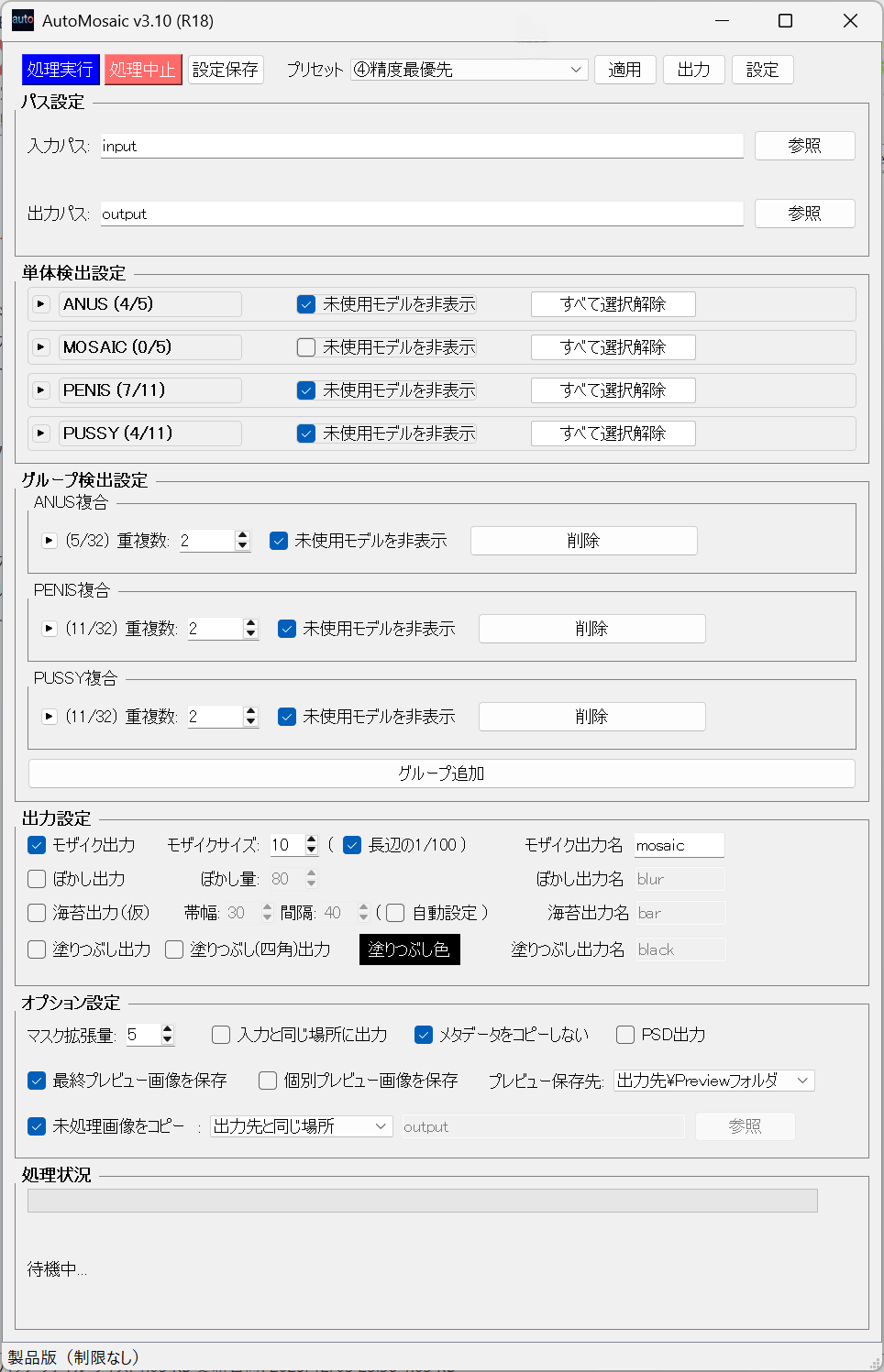
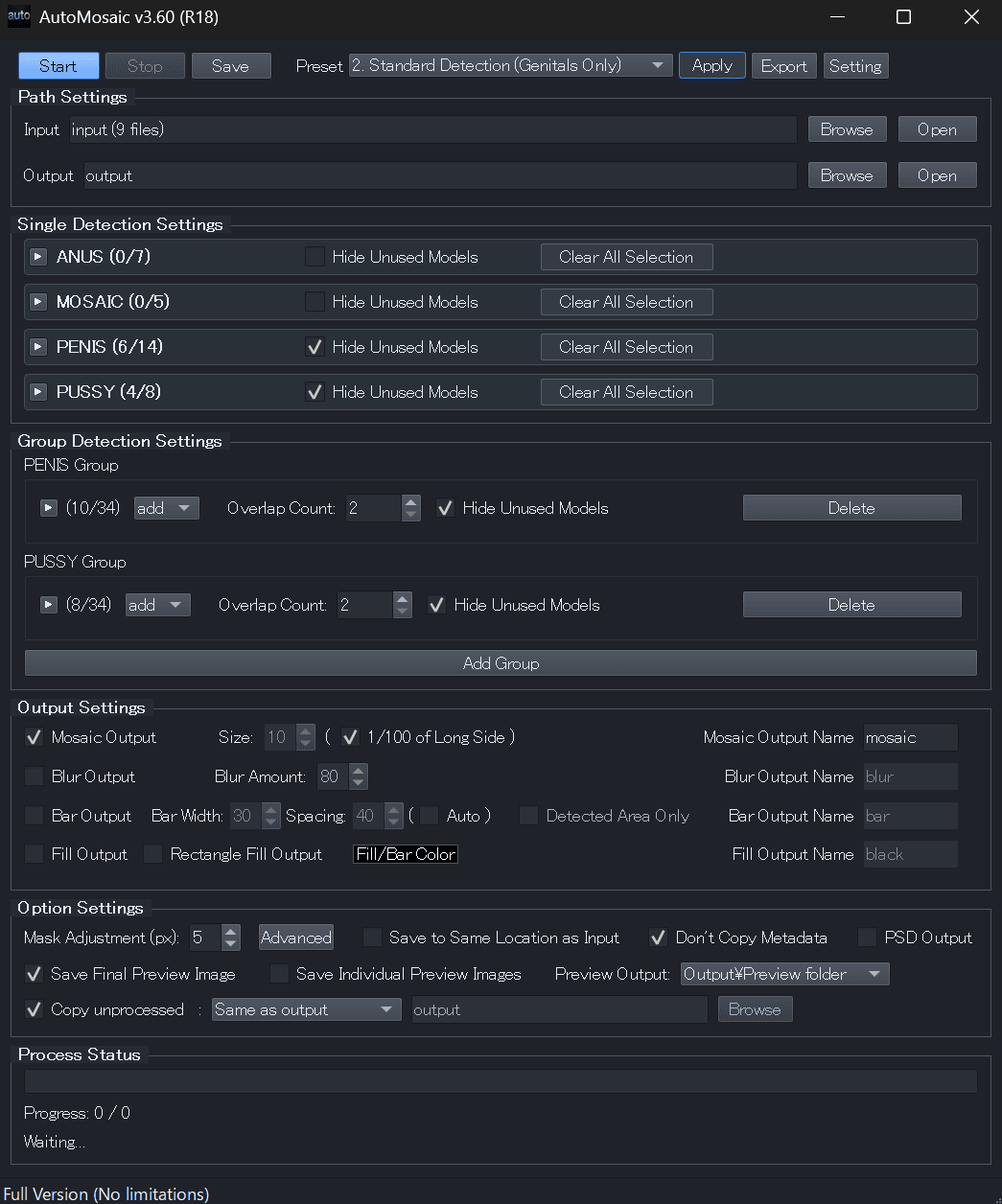
Click to enlarge
03 How it works
Set detection targets and output styles from a single screen.
Pick a preset for your targets and output style.
Choose the images you want to process.
Set mosaic size and other options.
Review the processed images when finished.
04 Requirements
A GPU is optional, but processing will be slower without one.
05 Try & buy
AutoMosaic R18 / Windows
v3.70 · ZIP file
Commercial use by individuals is included.
View product page on PayhipFor corporate or enterprise use, contact us by email before purchasing.
Highlights summarized from published user reviews.
Latest version v3.70
Released October 14, 2026