
AutoMosaic Video (R18)
Automatically detects and tracks genitalia and the anus in video, then applies mosaic, blur, or fill. Processing stays on your PC.
Overview
AutoMosaic Video is a Windows desktop application that automatically detects and tracks targets in video, then applies the selected effect. Video is processed locally on your PC and is not uploaded for processing.
- Detection and tracking: follows targets across frames
- Manual editing: define processing regions in videos and animations without automatic processing
- Animated GIF / Animated WebP support: save files in the same format as the input
- Long and high-resolution video support: process videos over one hour and 2K / 4K video
- Offline processing: no uploads or cloud processing
- Fast GPU acceleration: faster inference on NVIDIA GPUs
- CLI support: Run from the command line in addition to the GUI
- Five UI languages: English, Japanese, Simplified Chinese, Traditional Chinese, and Korean
Detectable targets / Outputs
Detectable targets
- Genitalia
- Anus
Outputs
- Mosaic
- Blur
- Solid fill with a selectable color
Editing and Post-edit Materials
- Fine-tuning of automatic results
- Manual editing without automatic processing
- Video containing only processed regions
- Grayscale mask video
💡 Tip: Add ADetailer / YOLO format models to the Models folder to extend the detection targets.
How to use
- Add videos or animated images
- Choose detection, processing, and output settings
- Start processing and review any warnings
- Review the entire result and fine-tune as needed
System Requirements
- OS: Windows 10/11 (64-bit)
- Memory: 8GB+ recommended
- Application size: about 7GB
- GPU: NVIDIA GPU recommended
- CPU-only processing is supported but may be significantly slower.
Supported Formats
Input
MP4 / MOV / AVI / MKV / WebM / M4V / WMV / TS / MTS / M2TS / Animated GIF / Animated WebP
Output
- MP4 / MKV (H.264 / H.265)
- Animated GIF / Animated WebP (saved in the same format as the input)
- Preserves the first audio stream
Processing Sample & Detection Accuracy
Processing Sample
Detection Accuracy Data
Anime-style videos (within 30 seconds each)
Percentages are approximate, with rounding adjusted to match totals.
UI screenshot
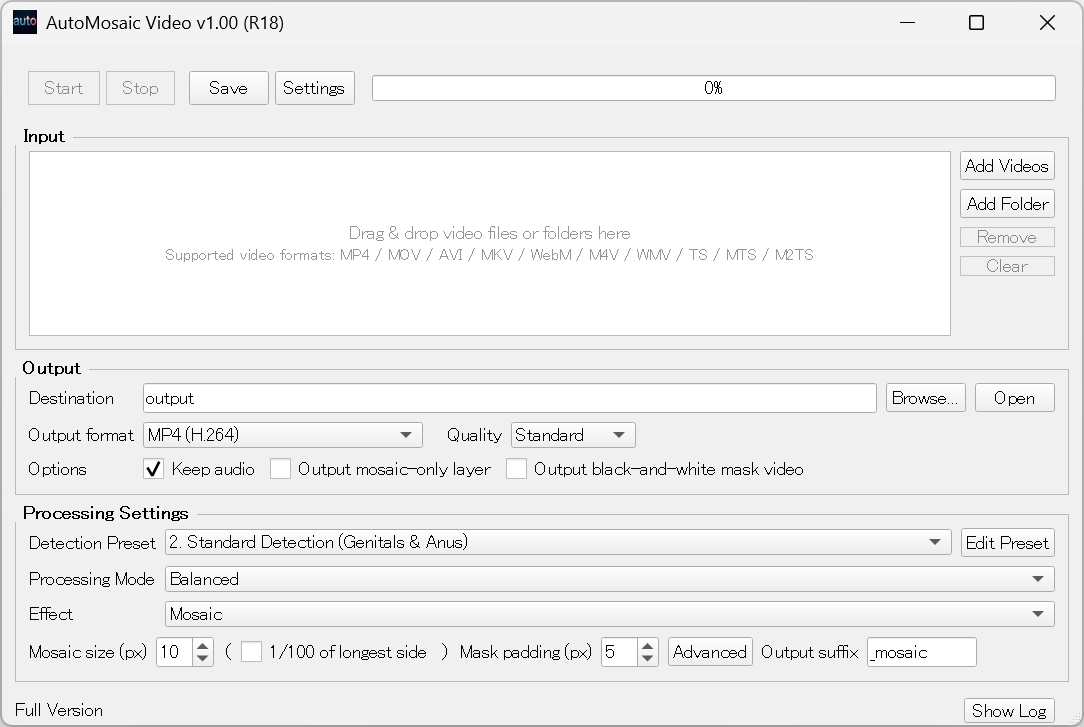
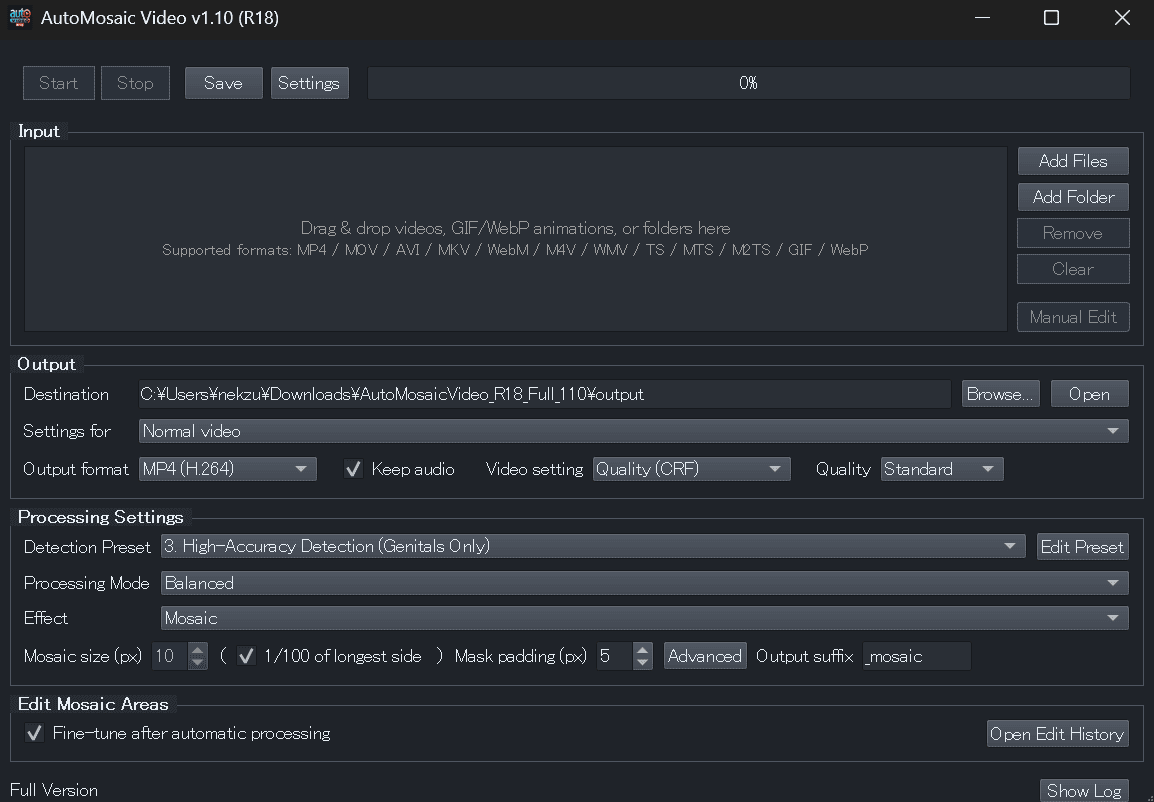
Video demo
A short overview of AutoMosaic Video and its basic workflow.

Trial Version
Windows
What's included
- ✓ One video or animation per run
- ✓ Up to 60 seconds per file
- ✗ Trial watermark on every frame
- ✗ Fine-tuning automatic results and post-edit materials are unavailable
License & Usage Notes
License
- Personal use (including commercial): Included with purchase
- Corporate/enterprise use: Contact us by email
Important Notes
- Processing time varies with video resolution, length, settings, and PC/GPU performance
- Motion or color may differ from the original in some videos
- Additional audio streams, subtitles, and similar content are not preserved
- Updates require an internet connection
Update Information
Latest Updates
- Added animated GIF / animated WebP processing, fine-tuning, and manual editing
- Added realistic-video presets, boundary correction, mosaic-edge feathering, video bitrate, and target-size controls
- Improved performance and stability for long and high-resolution videos
- Added five-language UI and in-app automatic updates