
AutoMosaic (General)
A desktop tool that automatically detects targets in images and applies mosaic / blur / fill in batch. Great for anonymization and comic/illustration editing workflows.
Overview
AutoMosaic automatically detects selected targets in images and applies mosaic/blur/fill to many images in a batch. It works fully offline (no network), so you can process private images safely.
- Offline: no uploads, no cloud processing
- Batch: process many images at once
- Presets: pick what to detect and the output style
- Supported formats: JPG / PNG / BMP / GIF / WEBP
- Processing speed: 1-3 sec (GPU) / 5-8 sec (CPU)
Detectable targets / Outputs
Detectable targets
- People
- Face (male / female / full)
- Eyes
- Text (horizontal / vertical)
- Comic speech bubbles
- Comic sound effects
- License plates
Outputs
- Mosaic
- Blur
- Fill (black / white)
UI languages
- Japanese
- English
- Chinese (Simplified / Traditional)
- Korean
* Sensitive-part detection is available in the R18 version.
How to use
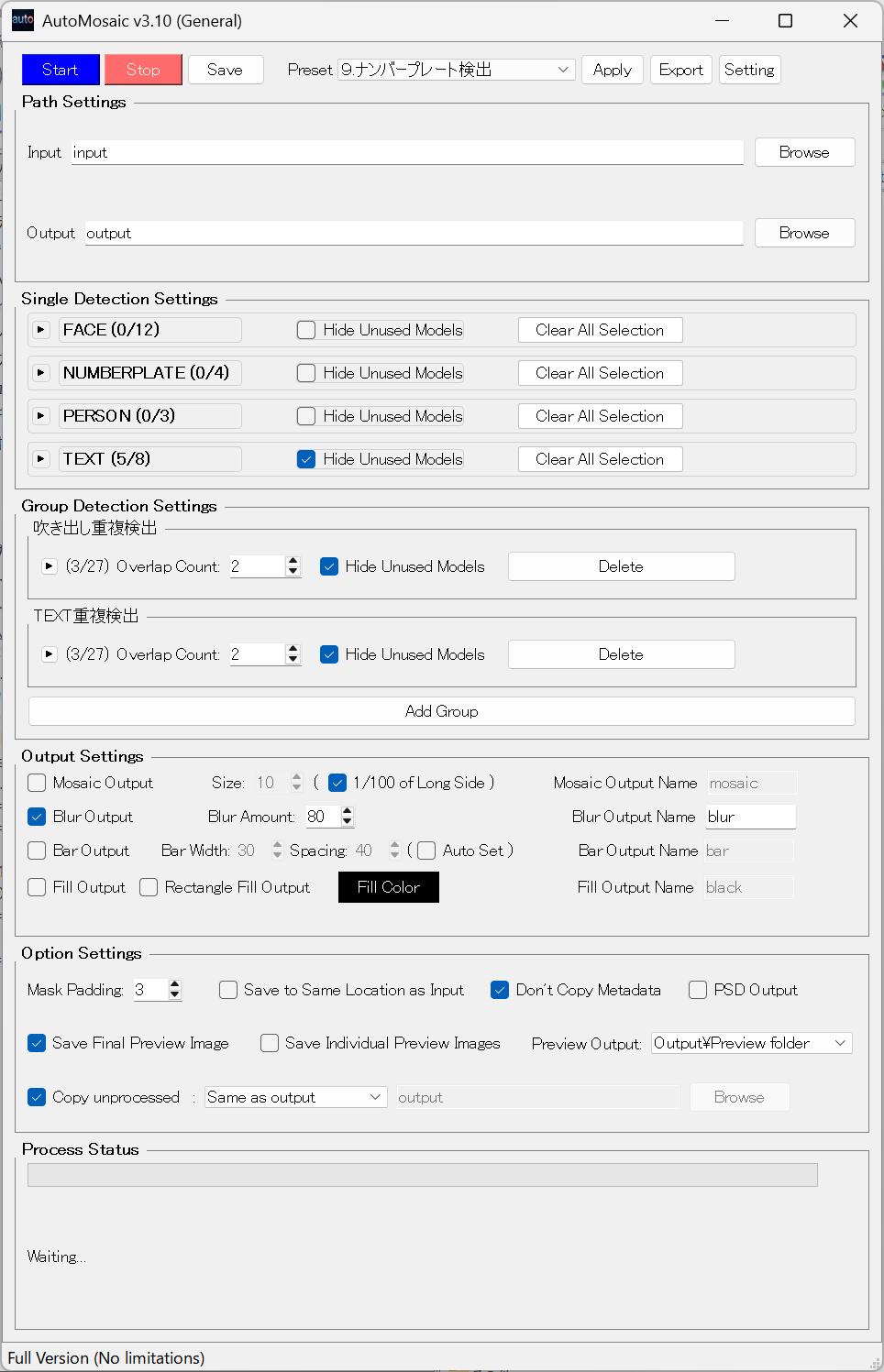
- Select a preset
- Select an input folder
- Adjust settings (e.g., mosaic size)
- Click Run to start processing
System requirements
- OS: Windows 10/11 (64-bit)
- Memory: 8GB+ recommended
- Storage (available/free space): 8GB or more
- GPU: NVIDIA GPU / VRAM: 4GB+ recommended
- It can run without a GPU, but processing will be slower.
Before / After
Real examples of AutoMosaic output. Click to open full size.

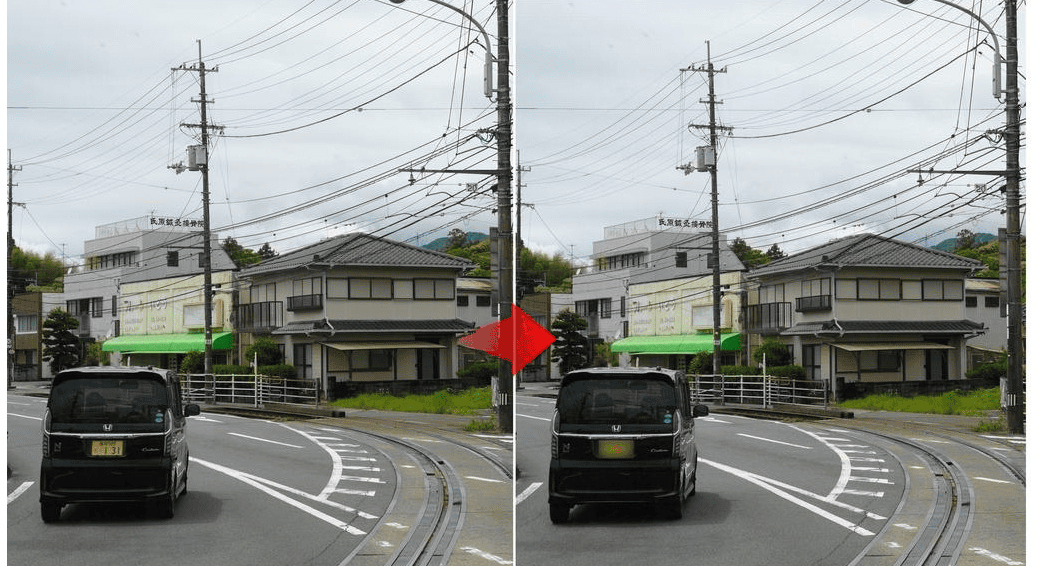
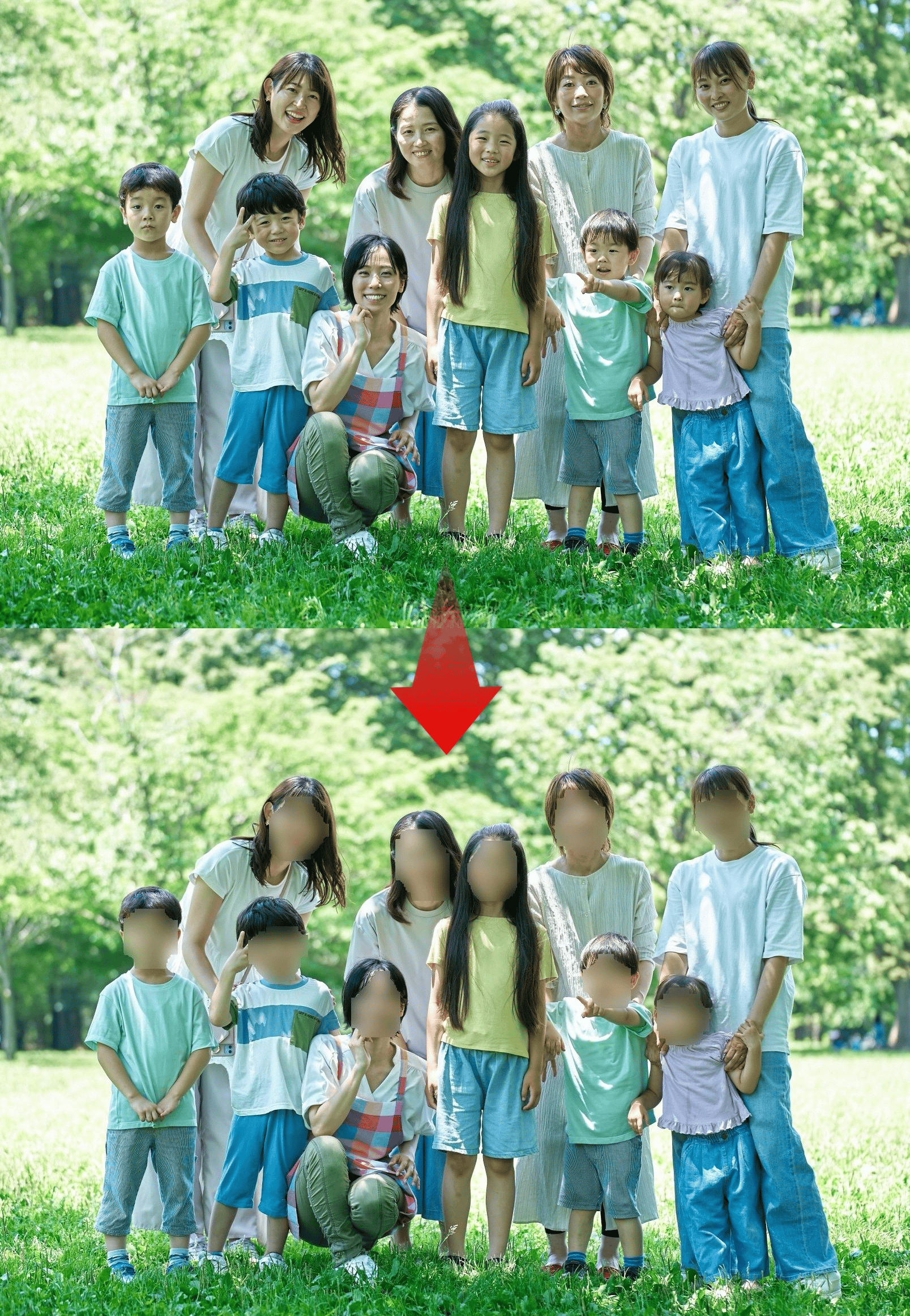
💡 Tip: After automatic processing, you can use AI Paint Cleaner for fine adjustments (remove extra mosaic, add missing mosaic, inpaint, etc.).
UI screenshot
Video demo
1-minute overview covering the interface and basic operations (steps 1-4).

Trial Version
Windows (No GPU / GPU: RTX 50XX series or earlier)
Windows (GPU: RTX 50XX series or later)
What's included
- ✓ All features available
- ✓ Process up to 5 images per batch
- ✗ Watermark added to processed images
Updates & Changelog
Latest Updates
- Feature additions and usability improvements
- Expanded model support and bundled model updates
- PSD output and folder handling improvements
License & Usage Notes
License
- Personal use (including commercial): Included with purchase
- Corporate/enterprise use: Please contact separately for licensing
Important Notes
- Processing may take time depending on your PC/GPU specifications
- Please review all outputs after processing to ensure accuracy
- Detection accuracy may vary depending on image quality and conditions