NAI Smart Studio
Desktop application for Windows to enhance NovelAI image generation. Includes multilingual UI, Director Tools, prompt chunks, Tagger, batch generation, prompt search, and more.
Card / PayPal
About NAI Smart Studio
NAI Smart Studio is a standalone Windows application that makes NovelAI, an AI image generation service, easier to use. In addition to workflow features not found in the official web UI, it brings together multilingual UI, Director Tools, prompt chunks, Tagger, prompt search, and more into one desktop workflow. It also supports the newly released NovelAI Diffusion V5 models (Full / Curated).
⚠️ Important:
A NovelAI subscription is required to use this software. Compatible with Tablet, Scroll, or Opus plans.
💡 Language Support:
The UI supports English, Japanese, Chinese (Simplified / Traditional), and Korean.
Basic Usage
- Obtain a NovelAI account
- Get an API key from the NovelAI official website
- Enter the API key in NAI Smart Studio settings
- Input prompts and start generation
For detailed instructions, please refer to the online manual.
Key Features
NovelAI Core Functions
- Access to almost all basic image generation features
- Text-to-Image, Image-to-Image, and Inpainting
- NovelAI Potion support and Precise Reference functionality
- Director Tools (clutter/background removal, line art/sketch conversion, colorization, and expression changes)
- Prompt chunk support
Production Support
- User-friendly and polished UI
- Multilingual UI support (English / Japanese / Chinese (Simplified / Traditional) / Korean)
- Automatic batch generation
- Wildcard support
- Story generation
- Tagger functionality
- Proprietary upscaling feature
- Prompt search and history management
- Tag completion and preset features
- Eagle integration
- CLI support: Run image generation from the command line
- New version notifications and in-app updates
Privacy Protection
- Settings, history, and generated images are stored locally
- Only prompts and input or reference images required for generation are sent to the NovelAI API
- Nekzuk does not collect or store prompts, input or reference images, or generated images
System Requirements
- OS: Windows 10/11 (64bit)
- Memory: 8GB or more recommended
- Application size: about 600MB. Prompt Search / Tagger data needs about 9GB more.
- Internet connection: Required for NovelAI API features. Update checks, in-app updates in the paid version, and downloads of required additional data also use an internet connection.
- NovelAI subscription: Required (Tablet/Scroll/Opus)
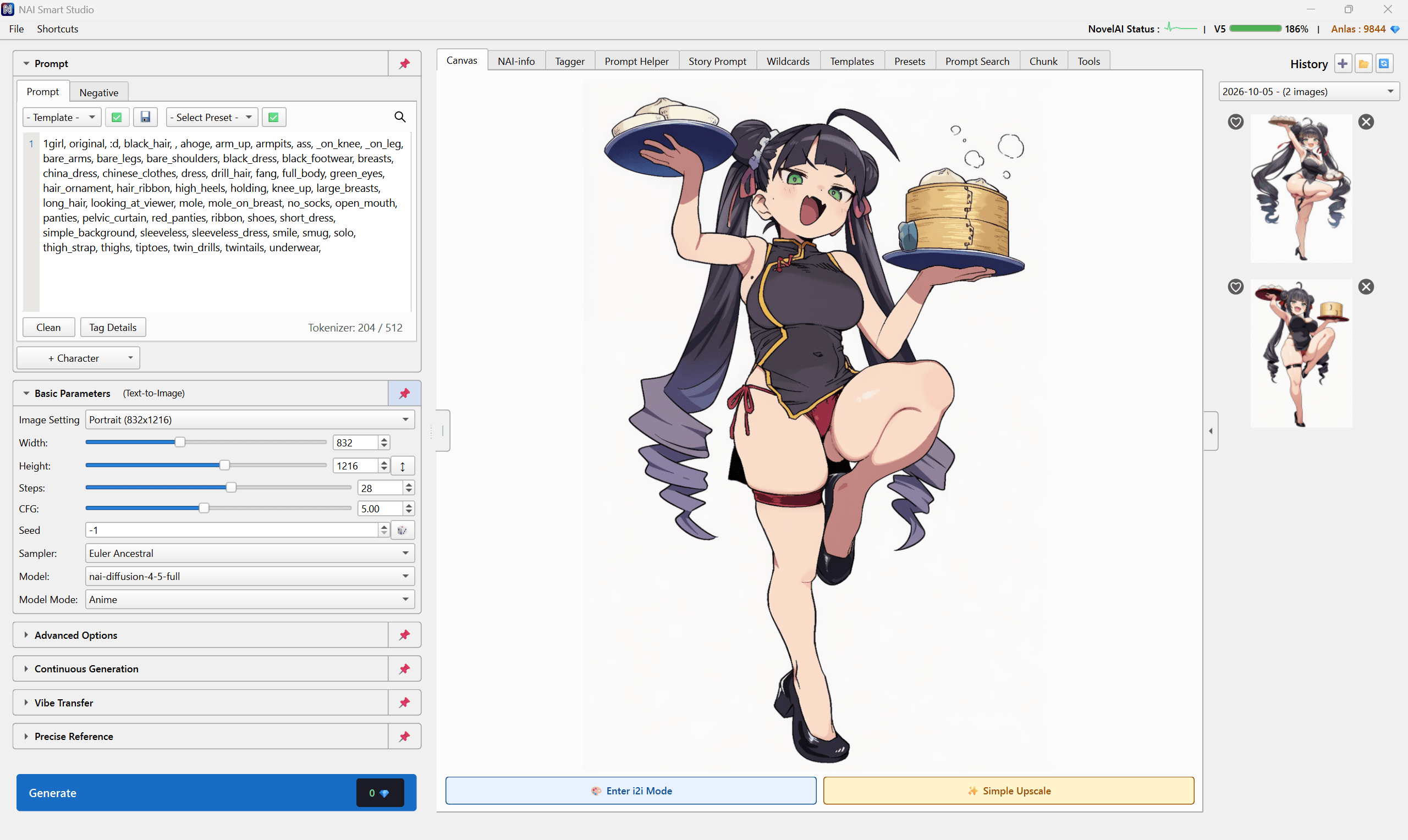
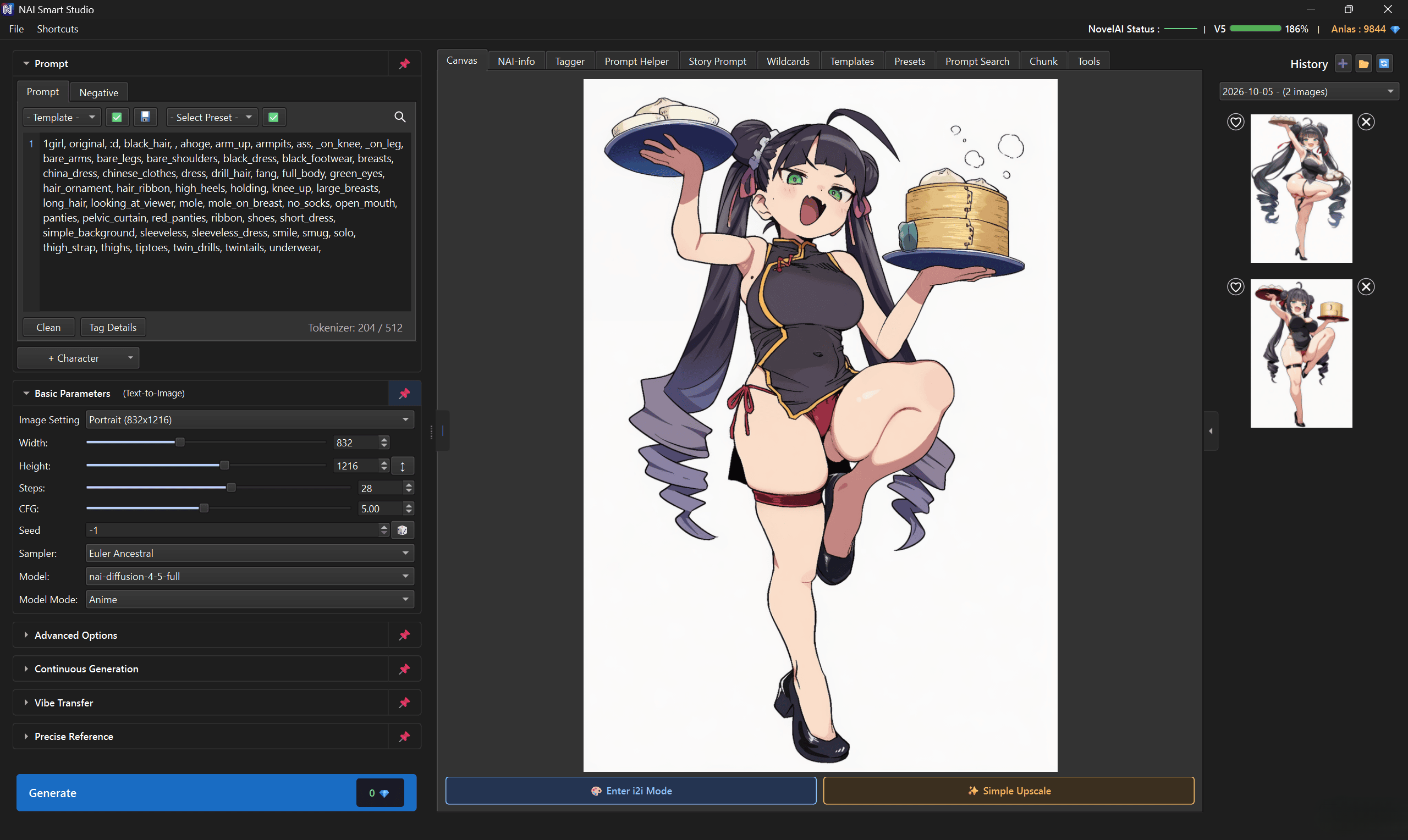
UI screenshot
Video demo
Watch the introduction video for NAI Smart Studio, covering the interface and core workflow.

Trial Version
License & Usage Notes
License
- Personal use (including commercial): Included with purchase
- Corporate/enterprise use: Contact us by email
Important Notes
- NovelAI subscription is required
- Internet connection: Required for NovelAI API features. Update checks, in-app updates in the paid version, and downloads of required additional data also use an internet connection.
- Please use in accordance with NovelAI's Terms of Service
- Rights to generated images follow NovelAI's Terms of Service
Update Information
Update Content
- Added support for V5 Full cost-saving mode
- Addressed user requests
- Fixed bugs
User Feedback & Reviews
Review highlights (summarized)
- Continuous generation, presets, and prompt chunks streamline daily creation
- Tagger and other added tools make everyday work more efficient
- Eagle integration and the quality and usability of upscaling tools are especially useful
- Features beyond the official web UI make it easier to consolidate browser and API workflows
- Quick responses to NovelAI service changes and continued feature additions are appreciated